- Open a new tab in Microsoft Edge & navigate to the following URL:
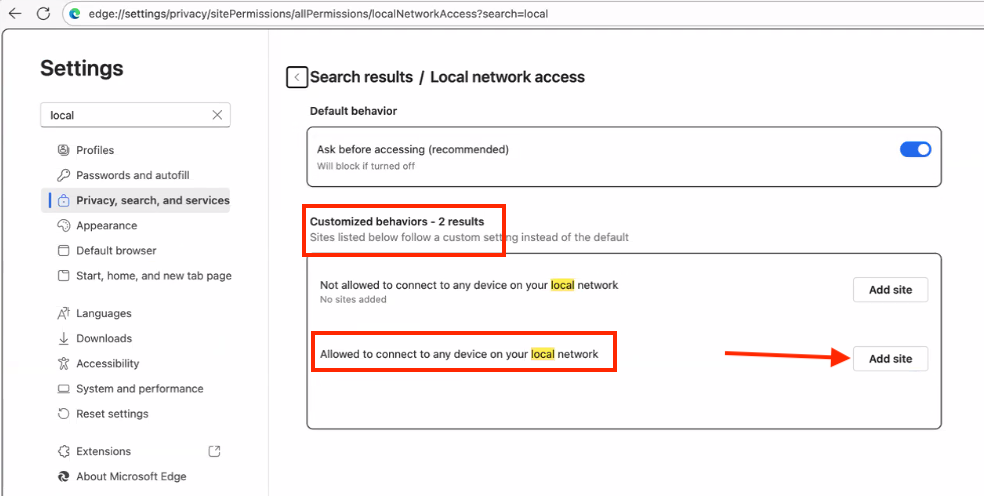
edge://settings/privacy/sitePermissions/allPermissions/localNetworkAccess - In the Customized behaviorssection, find theAllowed to connect to any device on your local networksetting & clickAdd site
- Add the following value into the Siteinput box, then click Add
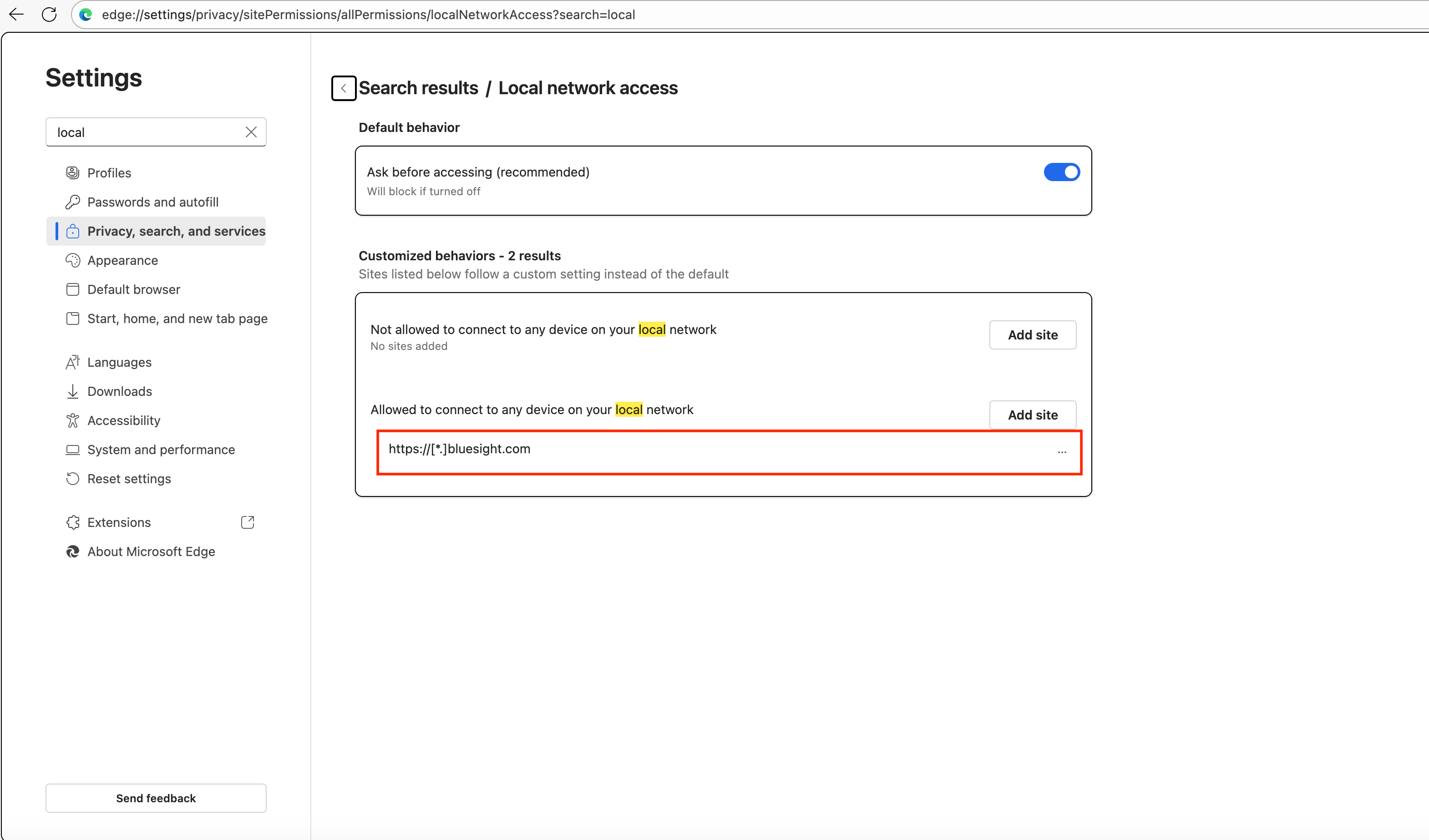
https://[*.]bluesight.com - You will then see the Bluesight URL added in the Allowed to connect to any device on your local networksection
Was this article helpful?
That’s Great!
Thank you for your feedback
Sorry! We couldn't be helpful
Thank you for your feedback
Feedback sent
We appreciate your effort and will try to fix the article